
Card Printers
Desktop card printers for organizations that want to print staff, visitor or student cards without waiting.
- Print resolution
- 300 dpi
- Color (YMCKO / YMCO) and monochrome
- Card compatibility
- PVC and composite PVC, ISO CR80 / ISO 7810
- Card thickness
- 0.4 – 1.2 mm
The right printer depends on your monthly print volume and what needs to go on the card. Fill in the form and we'll tell you which model fits your use case, with pricing.
About this product
Producing cards is our business — but not every job can wait for a print run. If a new hire needs their card the same day, if visitors get a card printed at the door, or if a student card is handed over at the registration desk, printing needs to sit in-house. We're a Pointman dealer and supply desktop card printers. There are two models, and the difference comes down to a single question: will anything be printed on the back of the card too? The N15 prints single-sided; the N35 flips the card internally and finishes both sides in one pass. Everything else is the same on both: 300 dpi printing, 0.4–1.2 mm card thickness, USB and Ethernet connectivity, and optional modules to encode a magnetic stripe, contact chip or contactless card in the same pass as printing.
Models
- Pointman N15
- Single-sided printing. 140–200 cards/hour in color, up to 600 in monochrome. Enough if the back of the card stays blank or you're personalizing pre-printed cards
- Pointman N35
- Automatic double-sided: flips the card internally, front and back finish in one pass. About 95 cards/hour double-sided, 140 single-sided; over 800 in monochrome. Removes manual card-flipping entirely
Where it is used
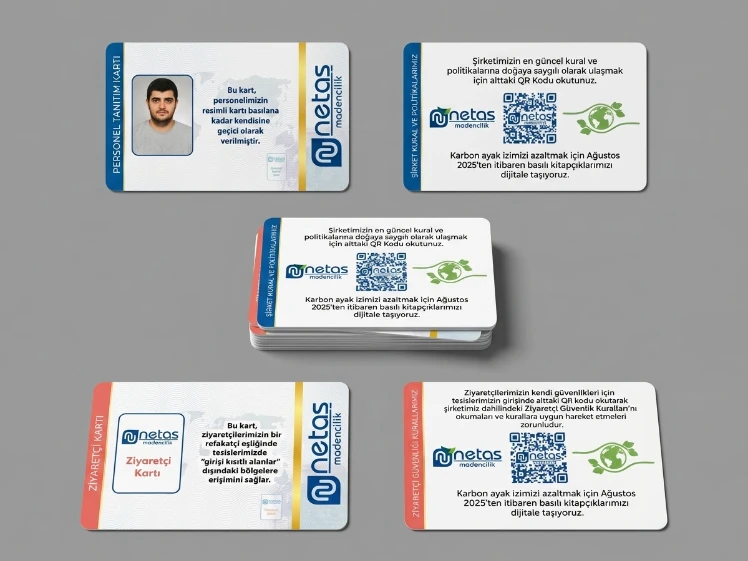
- Staff ID card
- Student and university card
- Membership and loyalty card
- Visitor pass
- Hotel and event card
Options
- Magnetic stripe encoder (ISO 7811 / JIS II)
- Contact chip encoder (ISO 7816 / EMV)
- Contactless encoder (MIFARE, ISO 14443 A/B, DESFire, NFC, Felica)
- SAM module (N35)
- Network use over Ethernet
- Print resolution
- 300 dpi
- Color (YMCKO / YMCO) and monochrome
- Card compatibility
- PVC and composite PVC, ISO CR80 / ISO 7810
- Card thickness
- 0.4 – 1.2 mm
- Card feed
- Automatic, 100-card capacity
- Connectivity
- USB 2.0 High-Speed and 10/100 Ethernet
- Memory
- 128 MB RAM
- Encoding
- Magnetic stripe, contact chip and contactless (RFID) — optional module
Not sure which one?
Tell us about your use case and we'll recommend the right device.
Frequently asked questions
Frequently asked questions about Card Printers. If you don't find your question here, you can call us.
Should I get the N15 or the N35?
One question settles it: will anything be printed on the back of the card too? If not, the N15 is enough. If so, get the N35 — it flips the card internally so you're not turning each one over by hand. On a batch of a hundred cards that's roughly half an hour of extra work; on a batch of a thousand it's a daily burden. The N35 is also faster: it prints over 800 cards an hour in monochrome, against up to 600 for the N15. Everything else — resolution, card compatibility, connectivity, encoding options — is identical on both.
Should I buy a card printer, or have the cards printed for me?
It's a question of timing, not volume. If your cards go out in batches with a fixed design, production is always cheaper — better print quality, lower cost per card. But if a card is needed one at a time and without delay — a new hire, a visitor at the door, a student at the registration desk — a printer solves that. Most organizations use both: we print the card body, and the printer adds only the personalized field.
Will my existing cards work in this printer?
PVC and composite PVC cards print fine; the size needs to match the ISO CR80 (85.6 × 54 mm) standard. There's a wide thickness range: any card between 0.4 mm and 1.2 mm feeds through, so both standard 760-micron and thin 480-micron cards are fine. The feeder holds 100 cards at a time.
Can the printer encode chip and magnetic-stripe cards?
Yes, if the encoding module is fitted: the card is printed and encoded in the same pass through the printer. There are three separate modules — magnetic stripe (ISO 7811 / JIS II), contact chip (ISO 7816 / EMV) and contactless (MIFARE, ISO 14443 A/B, DESFire, NFC, Felica). These are configured with the unit at purchase, and adding one later isn't always possible — so it's worth working out what you need before you buy.
How is the print cost per card worked out?
Two figures add up: the unit price of a blank card and the ribbon's per-card share. Ribbons are sold rated for a specific number of cards; divide the ribbon price by that number to get the print cost per card. Color printing uses a five-panel (YMCKO) ribbon; if only black text is being printed, a monochrome ribbon works out far cheaper — the ribbon itself costs less and the printer runs three to four times faster. Double-sided color printing uses up the ribbon twice as fast.
Does every ribbon work in every printer?
No. Ribbons are specific to the printer model — they don't cross between brands, and often not even between different series from the same brand. When choosing a device, checking how easy the consumables are to source matters as much as the purchase price — you buy the printer once, but you buy ribbon for as long as you own it.